Guide
Which model to edit a photo withThe best AI photo editor for each kind of edit
The best one depends on the edit: whether it moves you somewhere else, changes the words on a sign or the light in the room, and how many photos it has to work from. Here are eight models on Leap that edit a photo from a line of instructions, each with a real before and after and its price, a pick for each of those jobs, and recipes that do one common edit with no prompt to write.
Last updated
The short answer
Which one for what
- Try Seedream 5.0 Flash Edit
- Try Nano Banana 2
The quickest image
About 10 seconds in Leap's own runs at the default settings, the shortest wait here.
- Try Nano Banana Pro
The sharpest picture
Nano Banana Pro, GPT Image 2.5 Sunburst and Nano Banana 2
Up to 4K, the highest resolution here.
- Try GPT Image 2.5 Sunburst
Edits that start from your photos
Up to 8 photos in one run, so you can edit a picture or combine several.
Recipes
Recipes for common edits
Each recipe has its instructions written for one job. You add the photo and pick from a few choices, and it runs on a model chosen for that job.
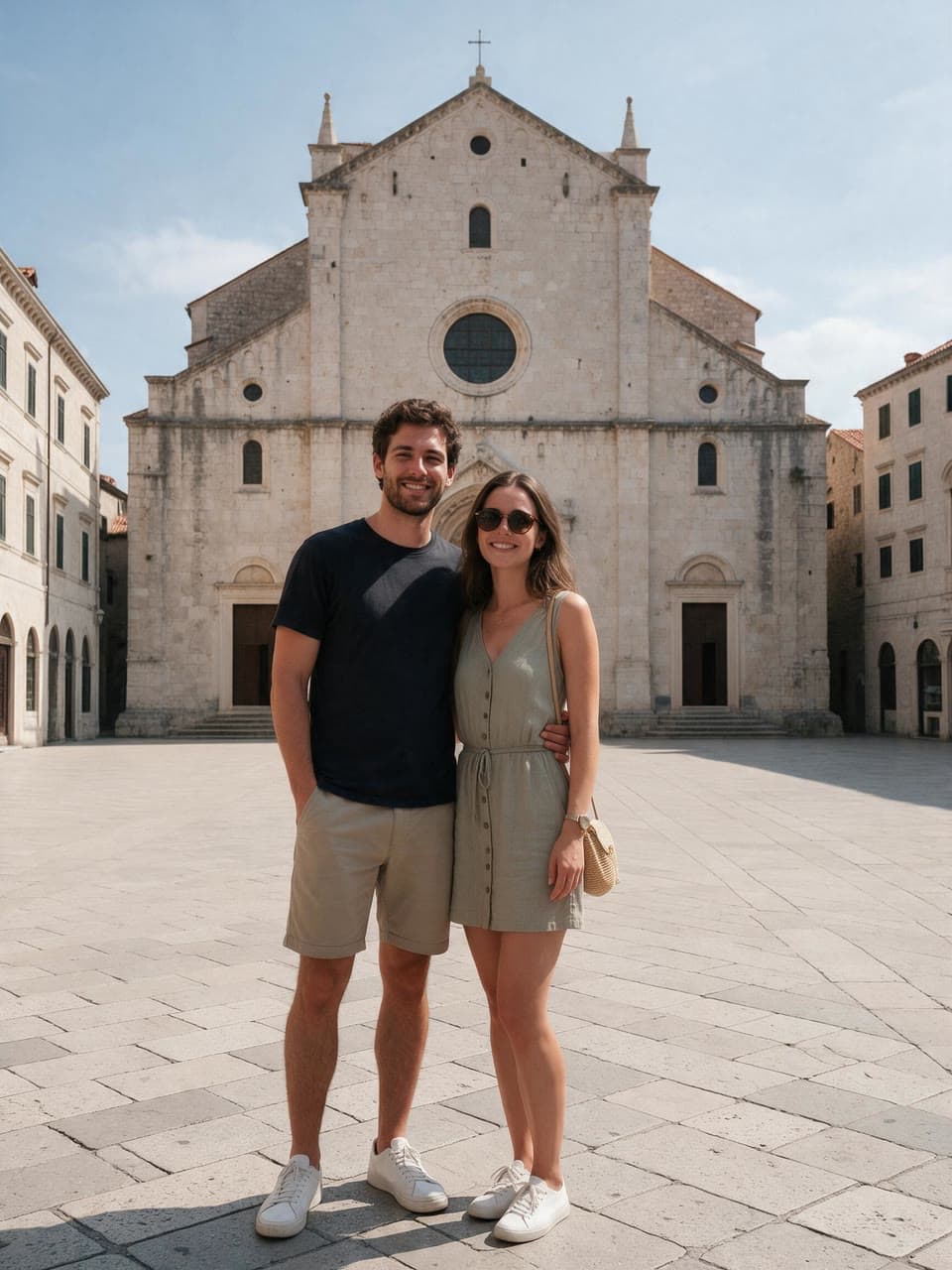
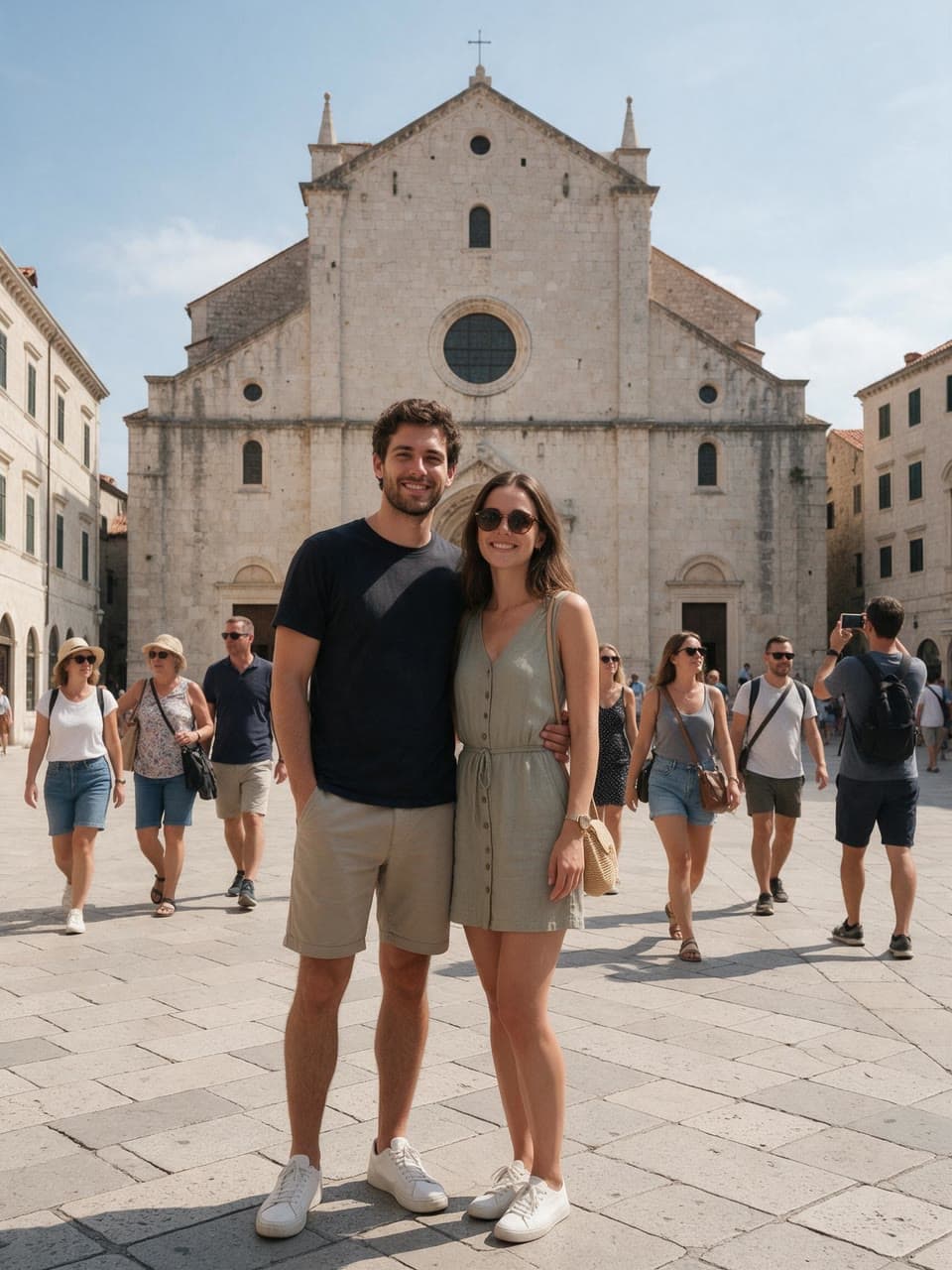
The square without the tourists, made on Leap with Object remover from the photo in the corner Try Object removerObject remover
Name what to take out of a photo, the tourists, the power lines or the cable on the desk, and get it back clean with everything else as it was.
From $0.20 an image
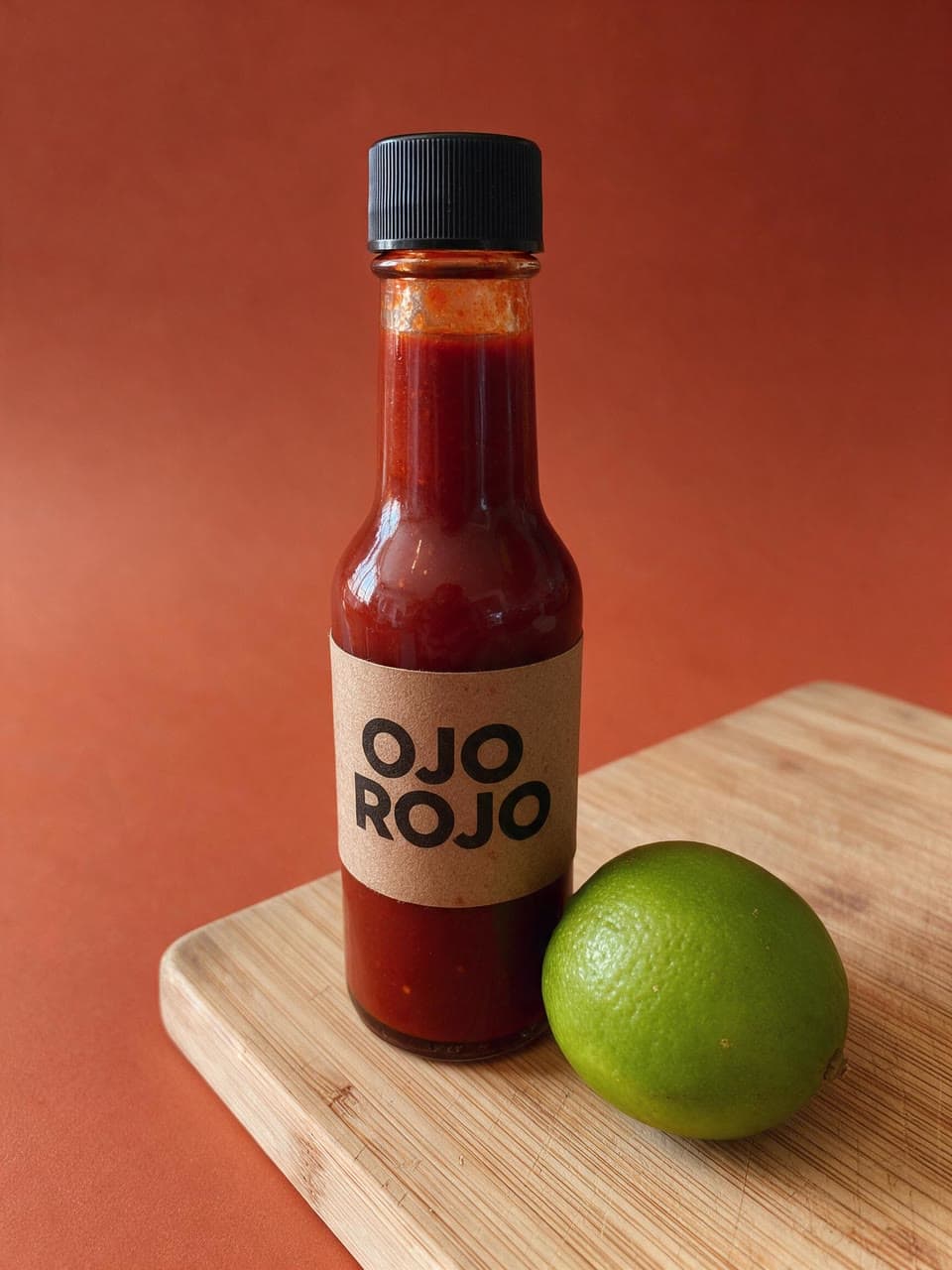
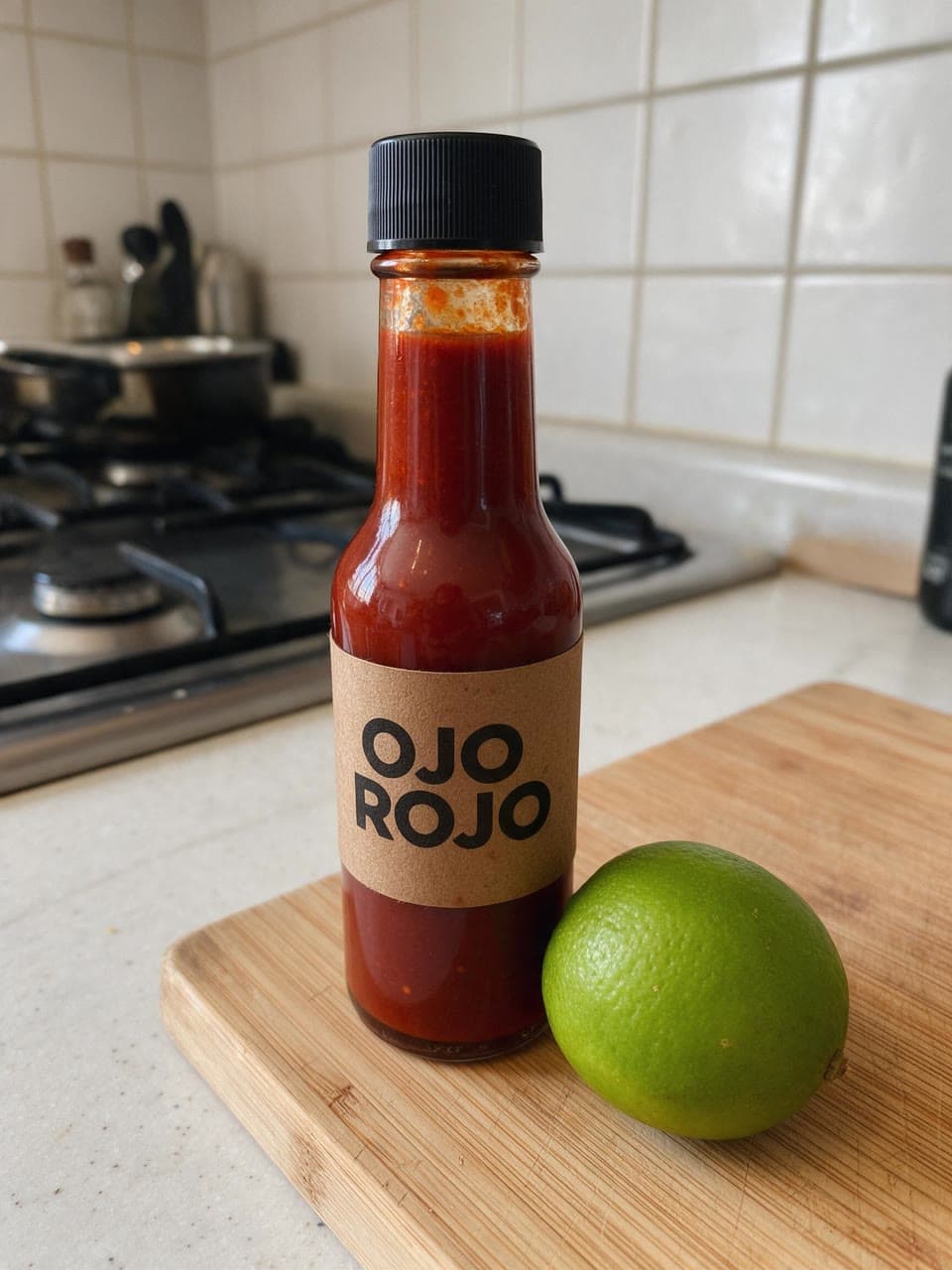
From the kitchen to a color studio, made on Leap with Background changer from the photo in the corner Try Background changerBackground changer
Put the person, pet or product in your photo somewhere else, relit to match, so it looks taken there.
From $0.25 an image
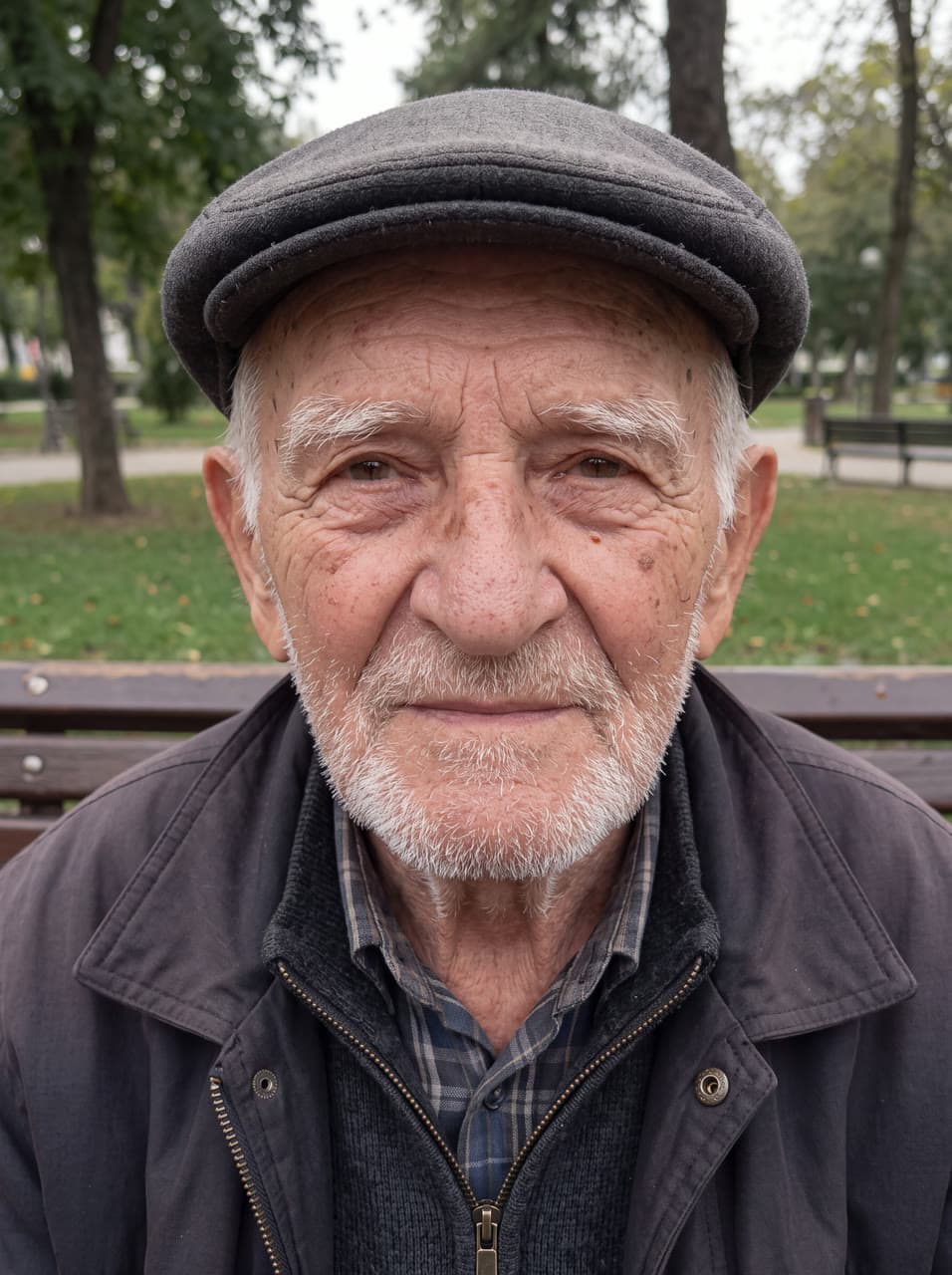

A grandfather's face, every line kept, made on Leap with Photo enhancer from the photo in the corner Try Photo enhancerPhoto enhancer
A blurry, small or noisy photo made sharp, clean and large, with every face, word and detail kept as it was.
From $0.35 an image
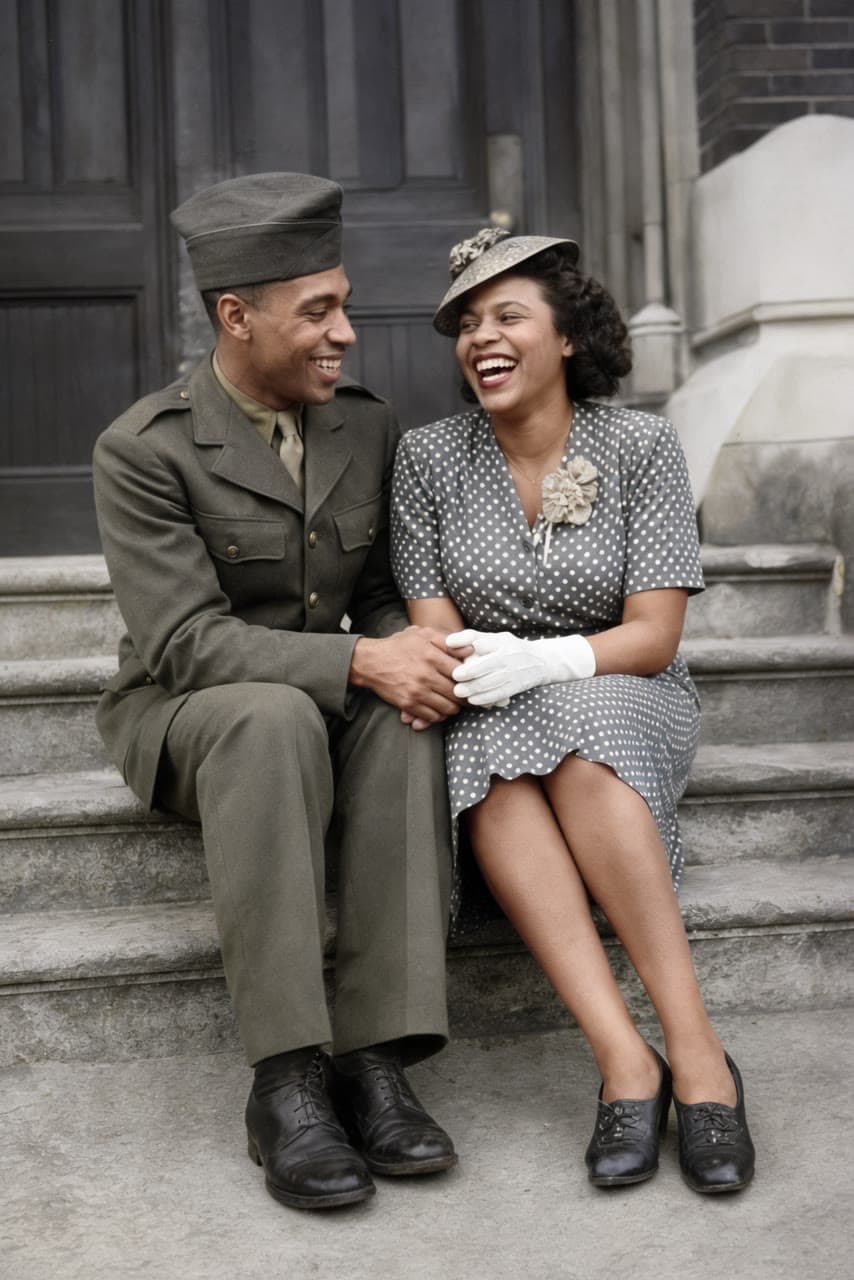
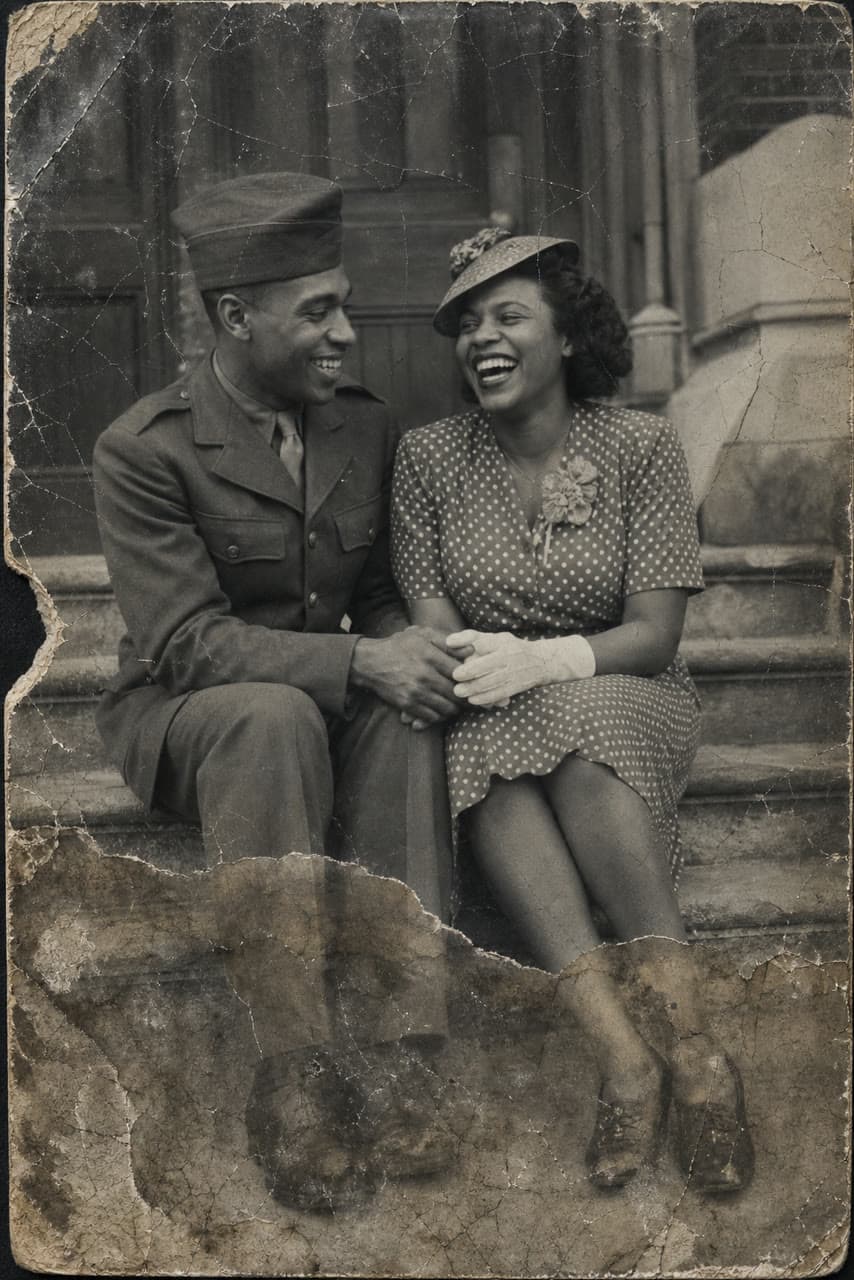
1944 couple in Harlem, colorized, made on Leap with Restore old photo from the photo in the corner Try Restore old photoRestore old photo
An old, faded or damaged photo repaired and sharpened, and colorized if you like.
From $0.25 an image
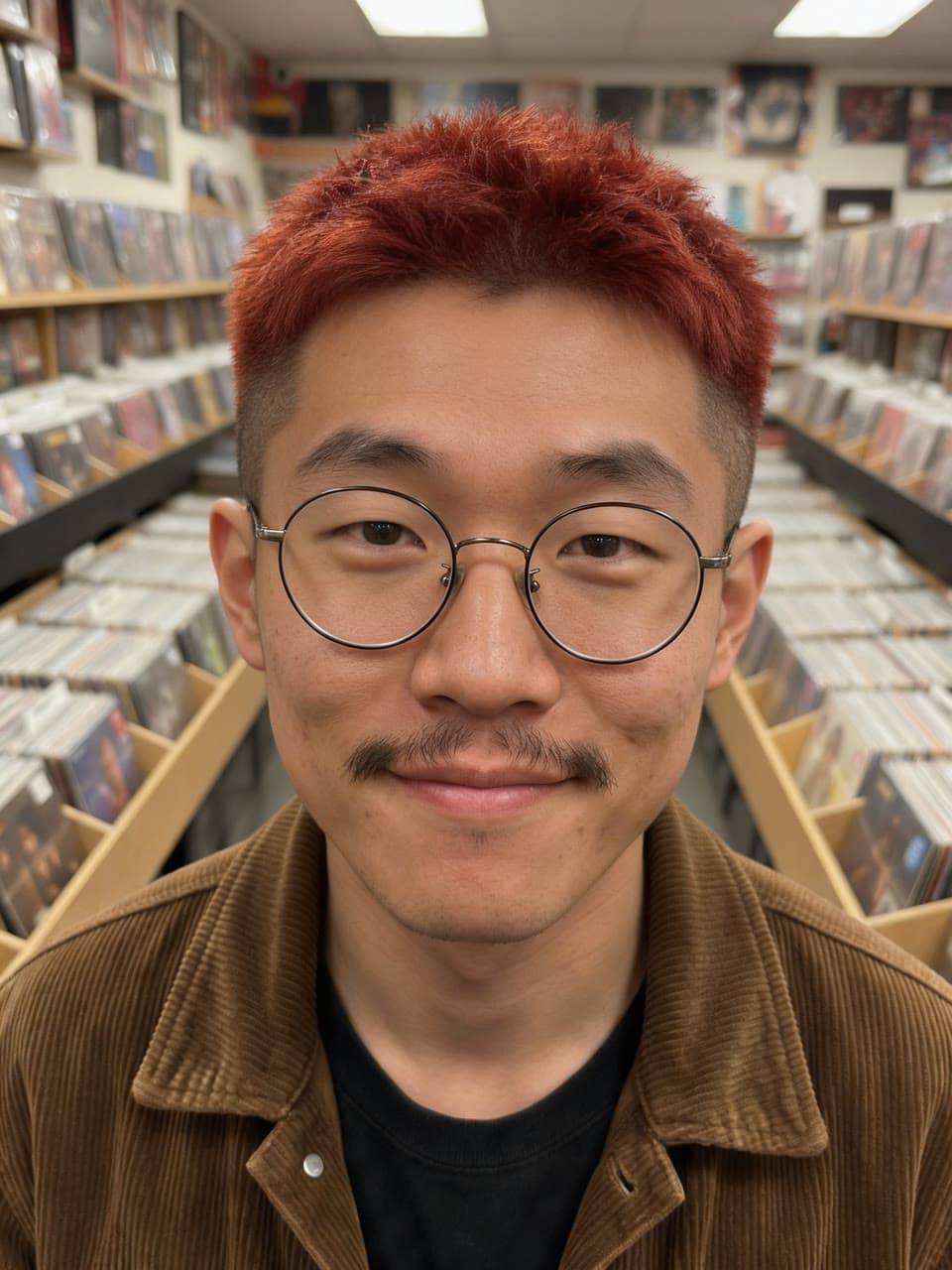

Shaggy mullet to a copper crop, made on Leap with Hairstyle try-on from the photo in the corner Try Hairstyle try-onHairstyle try-on
See yourself with a new haircut or hair color before the salon, with everything else unchanged.
From $0.20 an image


Dark executive headshot, made on Leap with Headshot from the photo in the corner Try HeadshotHeadshot
Studio headshots from one to four everyday photos that keep your face, skin and age as they are, and four different takes in a run.
From $0.25 an image
Side by side
Every model in this guide, spec by spec
Prices are Leap’s, per edit, in dollars. Run times are Leap’s own, at the default settings. A dash means Leap’s catalog doesn’t list it.
| Model | Starts from | Resolution | Price | Run time on Leap |
|---|---|---|---|---|
| Nano Banana ProGoogle | Words or up to 6 photos | Up to 4K | From $0.19 | – |
| GPT Image 2.5 SunburstOpenAI | Words or up to 8 photos | Up to 4K | From $0.07 | – |
| FLUX.1 Kontext [pro]Black Forest Labs | Words or a photo | – | From $0.044 | – |
| Seedream 5.0 ProByteDance | Words or up to 4 photos | – | From $0.039 | About 60 seconds |
| Nano Banana 2Google | Words or up to 6 photos | Up to 4K | From $0.057 | About 10 seconds |
| FLUX.1 Kontext [max]Black Forest Labs, in preview | Words or a photo | – | From $0.088 | – |
| Seedream 5.0 Flash EditByteDance | Words or up to 4 photos | – | From $0.03 | – |
| IC-Light v2lllyasviel, in preview | Words or a photo | – | From $0.11 | – |
The models
What each one makes
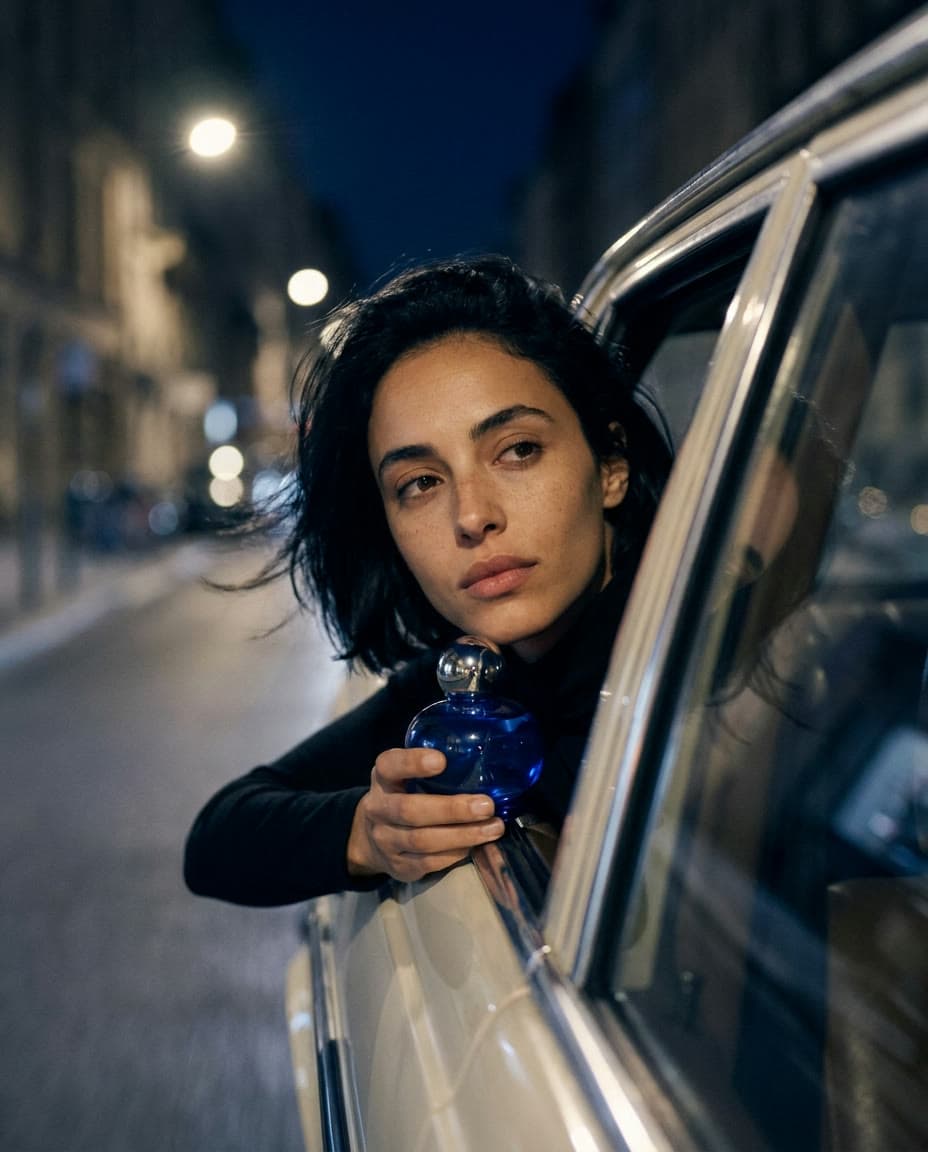
Out of a car window at night, made on Leap with Nano Banana Pro from the photo in the corner Nano Banana Pro
By Google
Gemini 3 Pro Image: Google's best for legible text, infographics and edits of up to 6 references.
- Starts from
- Words or up to 6 photos
- Resolution
- Up to 4K
- Default run
- $0.19 for a 1K image
- Price
- From $0.19
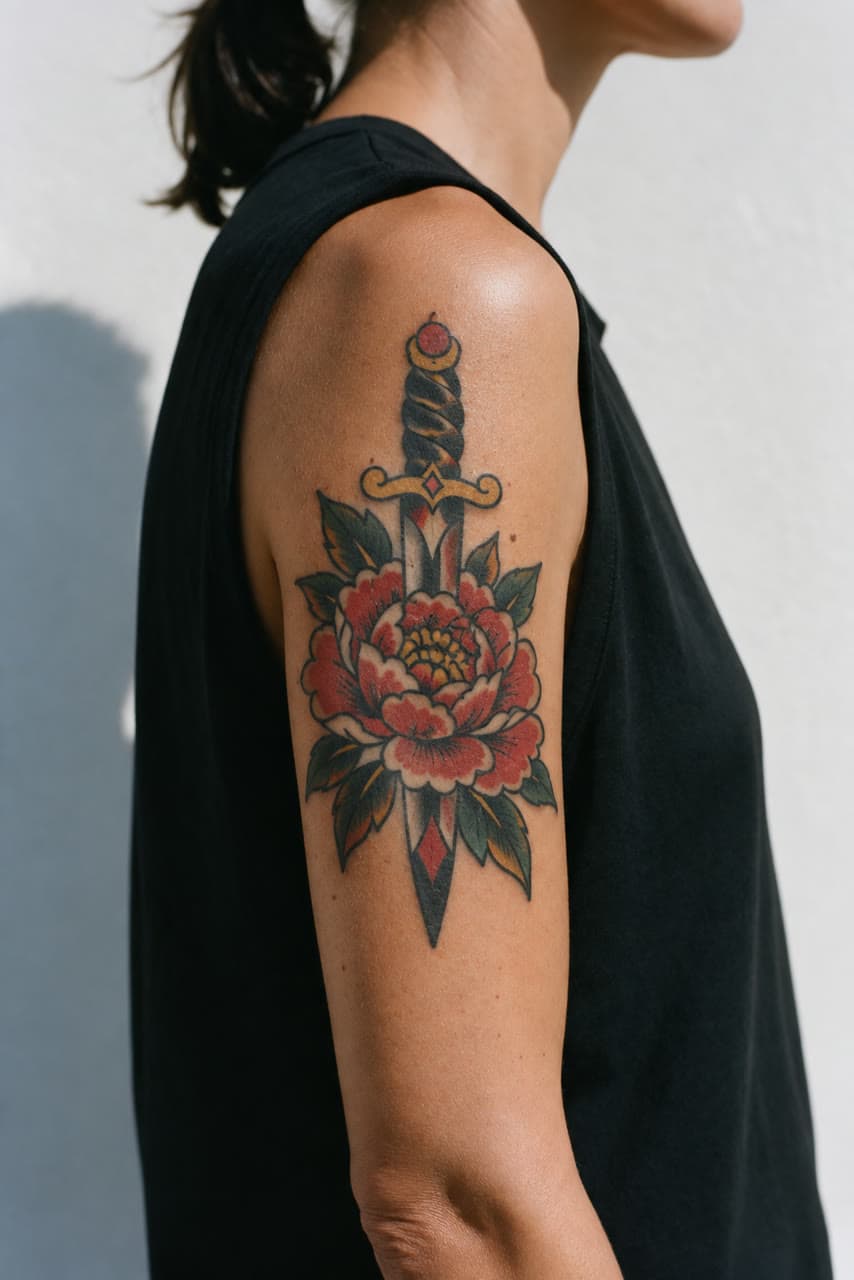
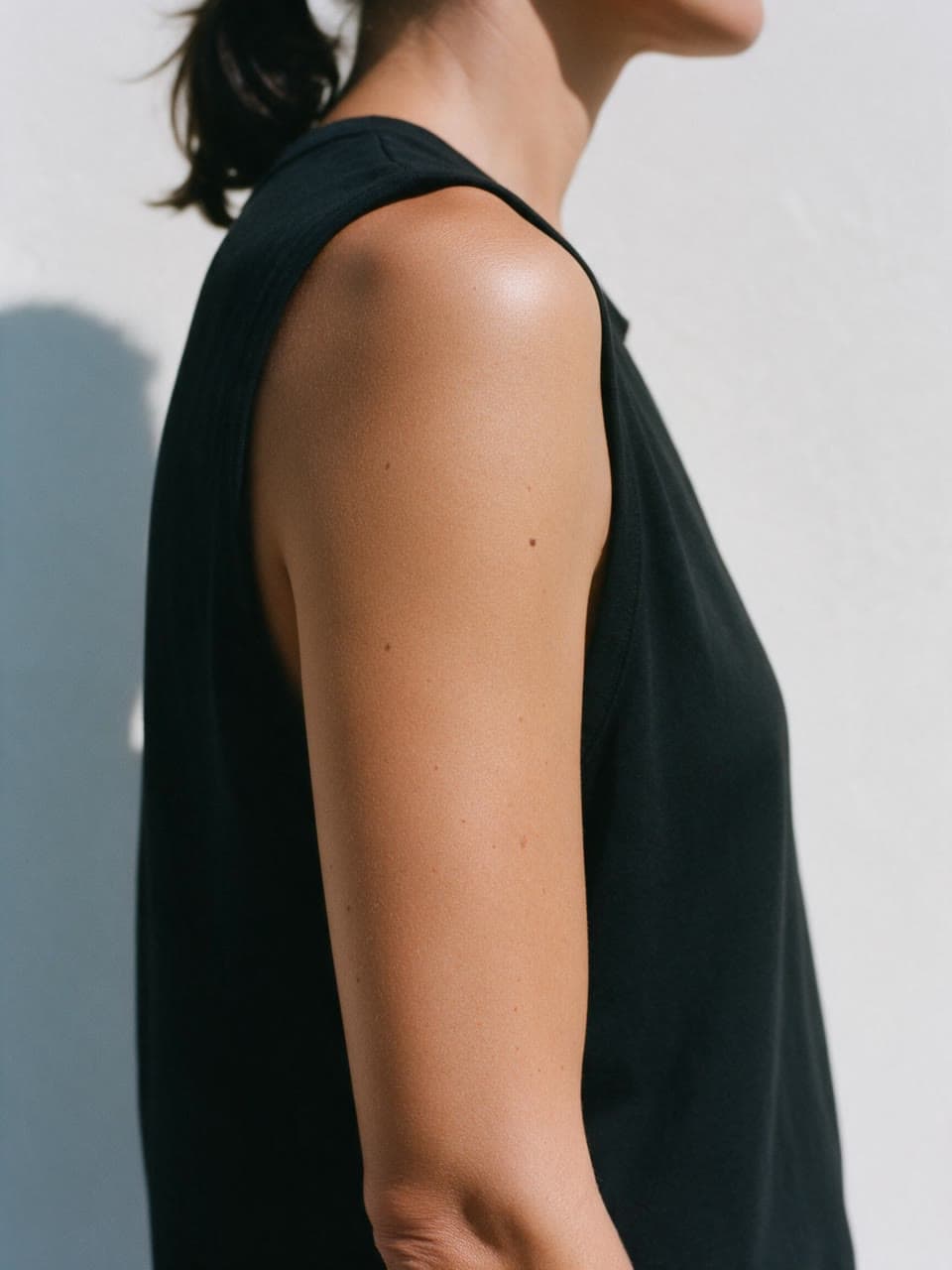
A peony and dagger, inked on her arm, made on Leap with GPT Image 2.5 Sunburst from the photo in the corner GPT Image 2.5 Sunburst
By OpenAI
OpenAI's newest image model, built for precise edits: quality up to max, 4K, and up to 8 references.
- Starts from
- Words or up to 8 photos
- Resolution
- Up to 4K
- Default run
- $0.086 for an image
- Price
- From $0.07
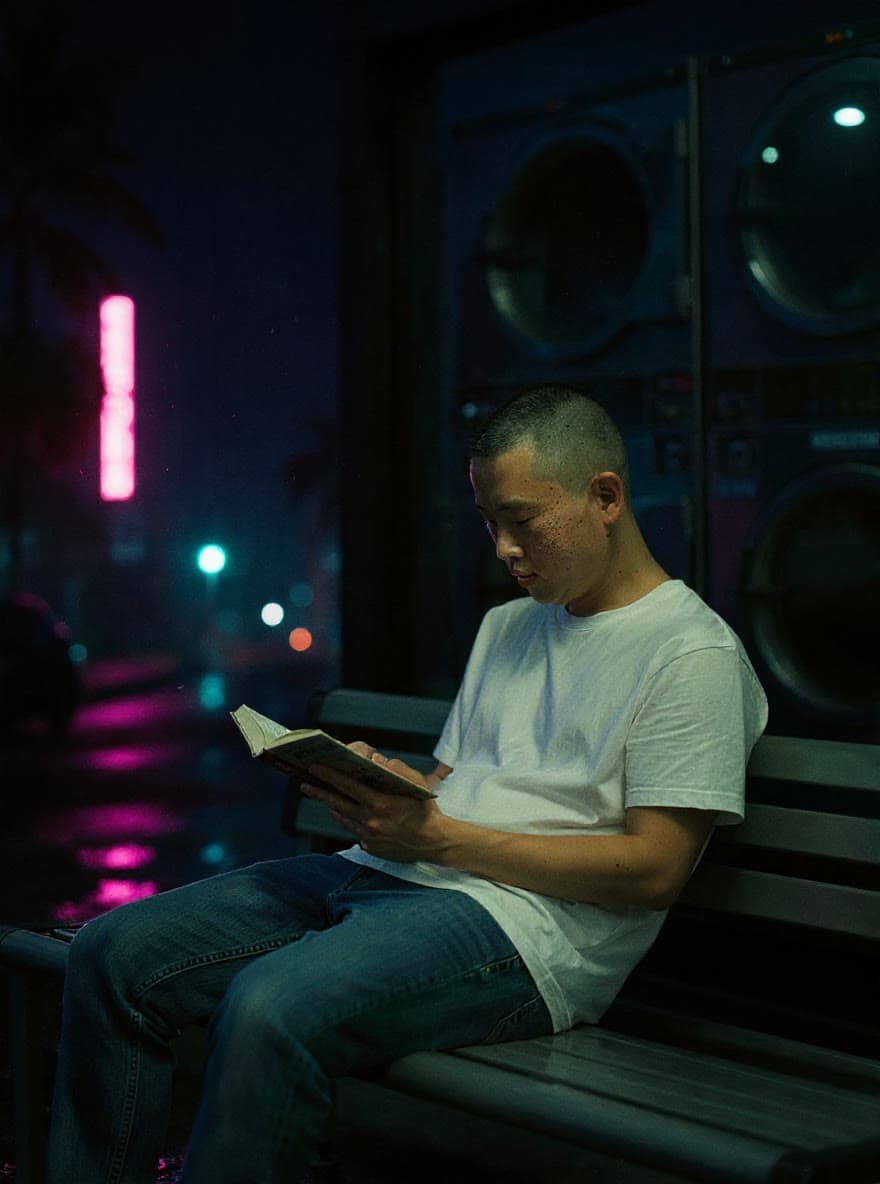
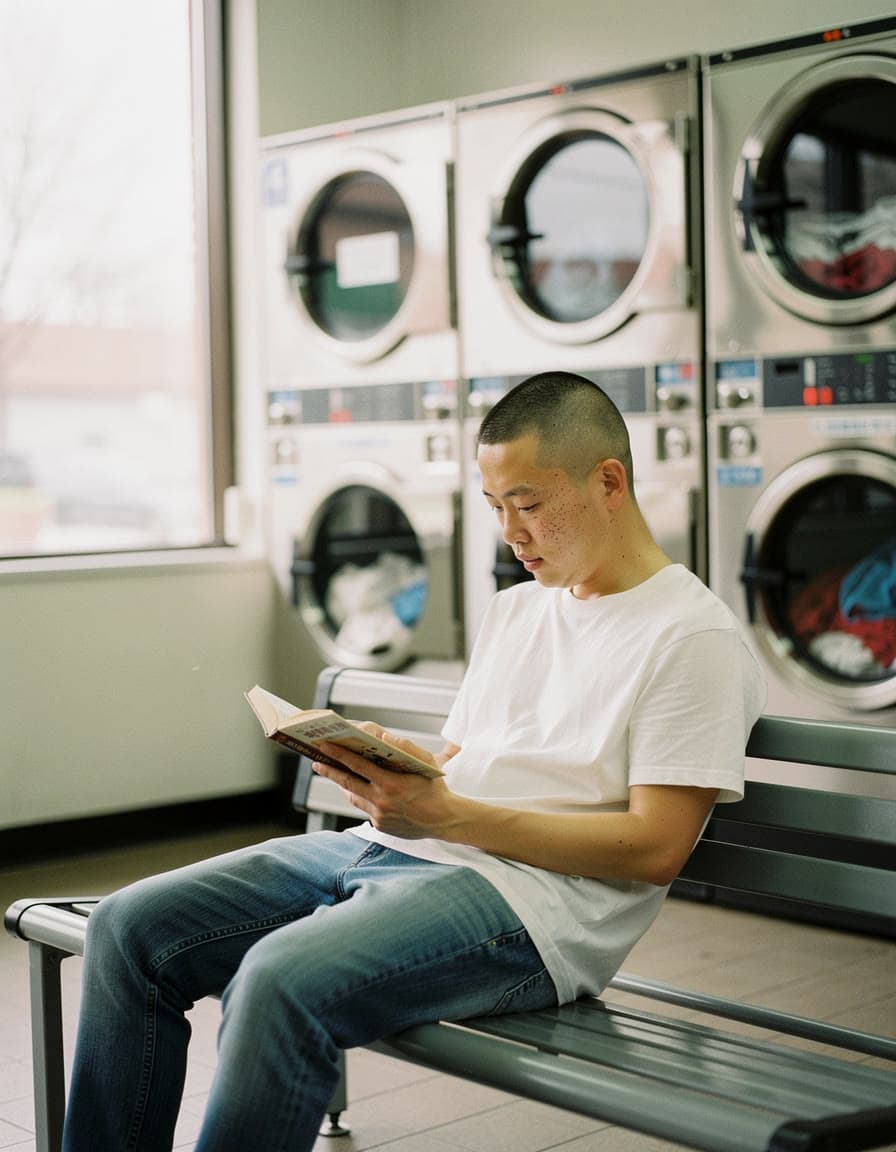
The laundromat, moved to 2 a.m., made on Leap with FLUX.1 Kontext [pro] from the photo in the corner FLUX.1 Kontext [pro]
By Black Forest Labs
Edits an image from plain instructions, from a small fix to a new scene.
- Starts from
- Words or a photo
- Default run
- $0.044 for an image
- Price
- From $0.044
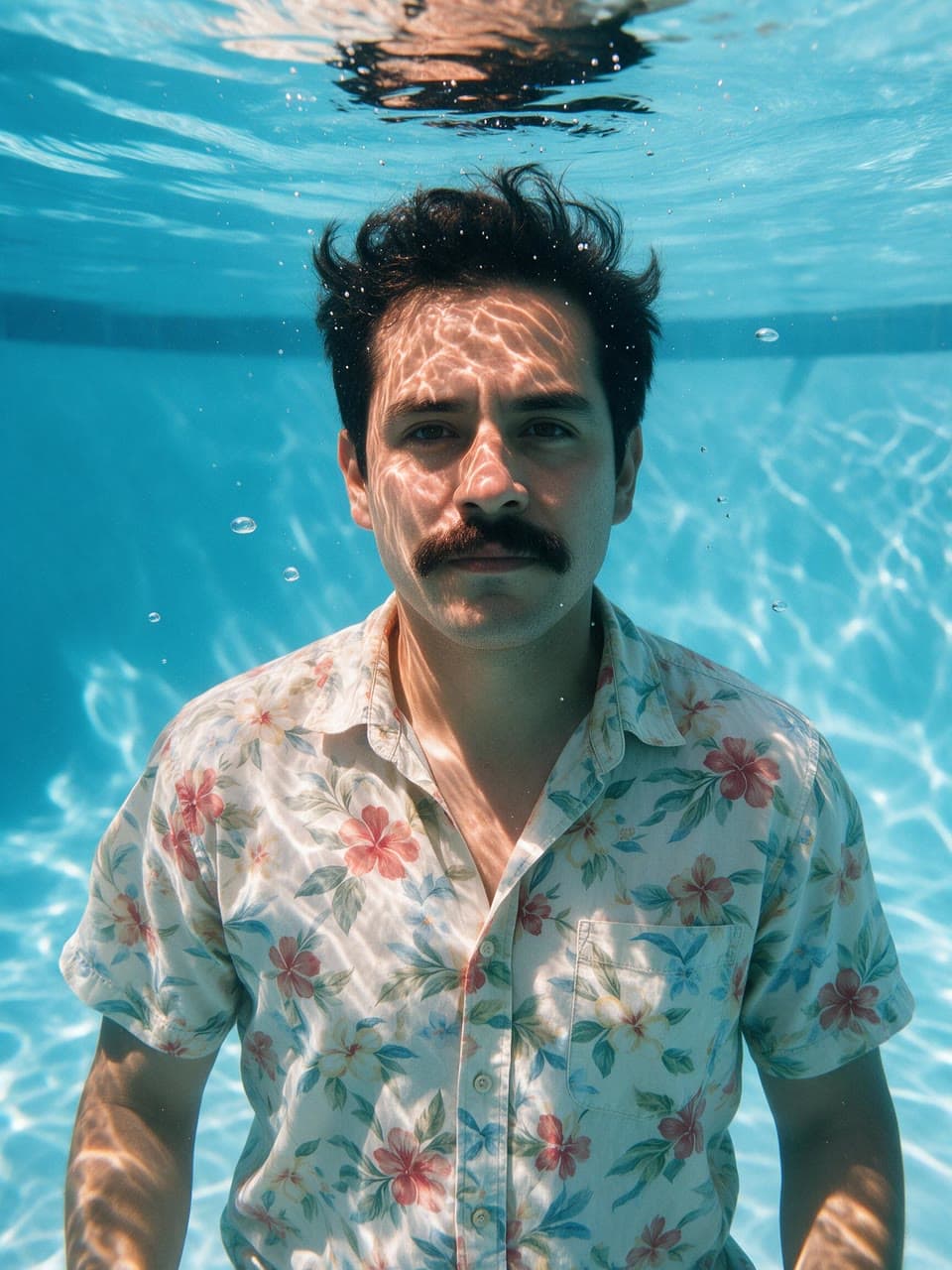
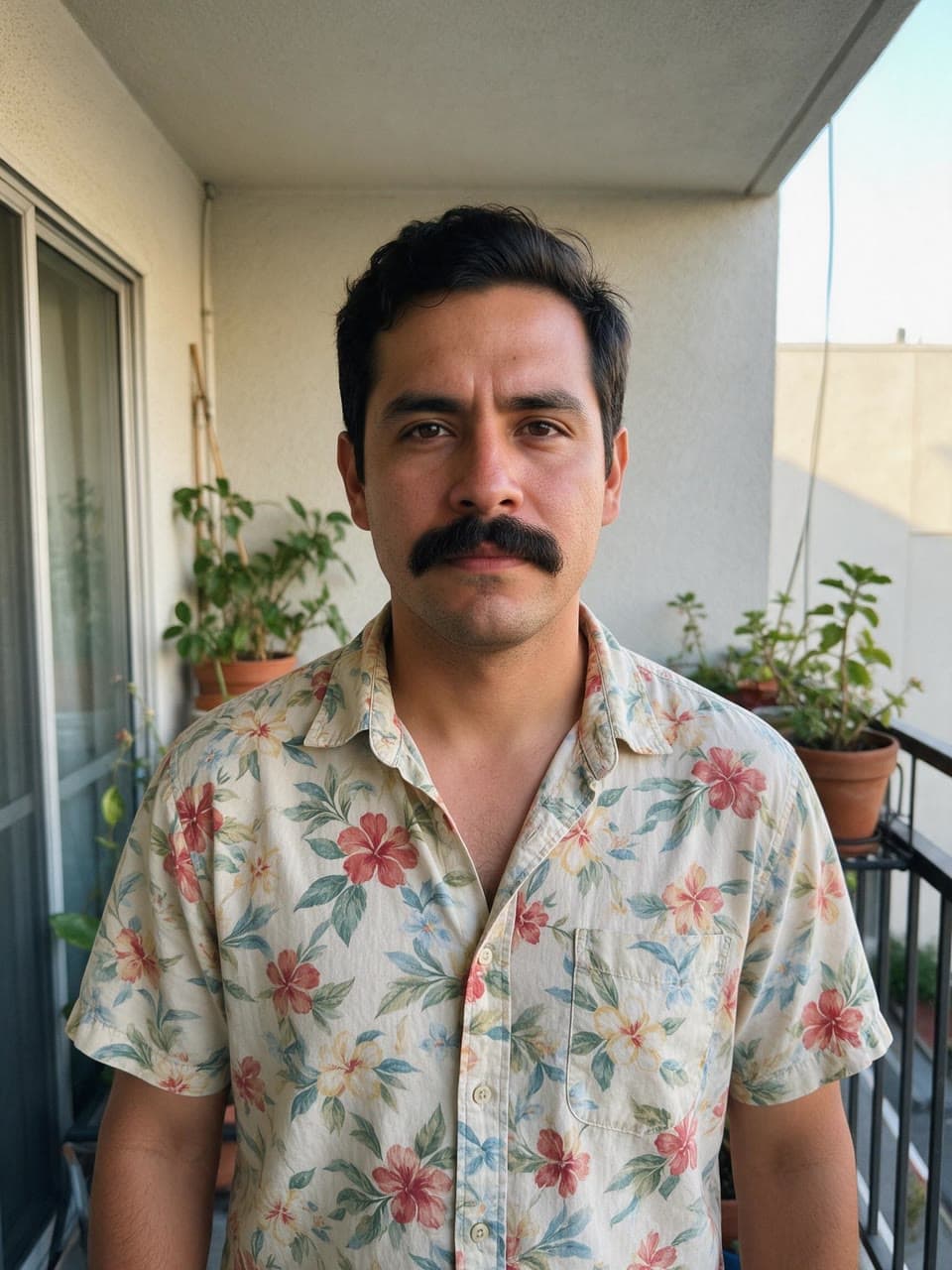
From the balcony to the deep end, made on Leap with Seedream 5.0 Pro from the photo in the corner Seedream 5.0 Pro
By ByteDance
ByteDance's newest: detailed 2K images and edits of up to 4 reference images.
- Starts from
- Words or up to 4 photos
- Default run
- $0.039 for an image
- Price
- From $0.039
- Run time
- About 60 seconds
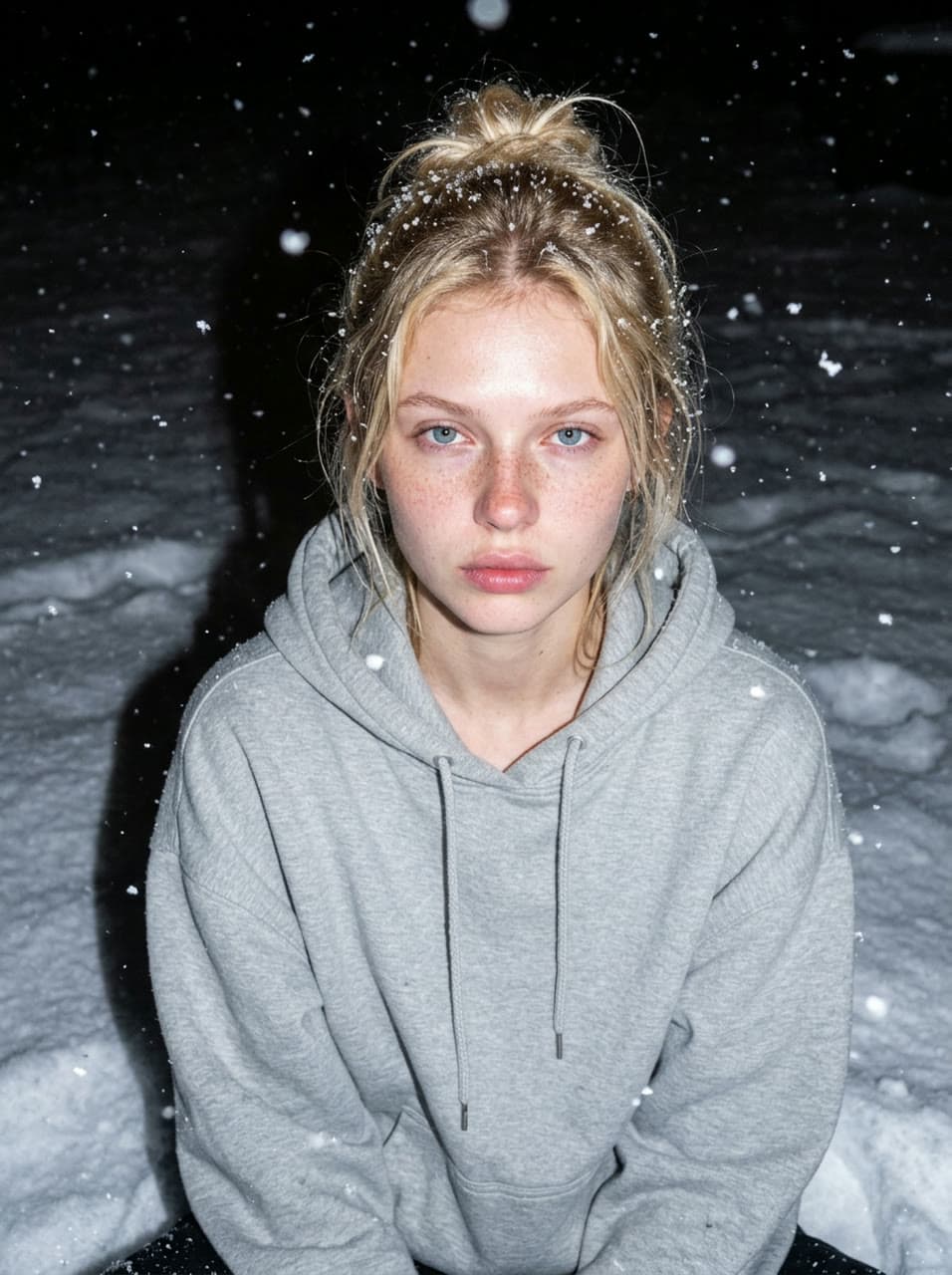
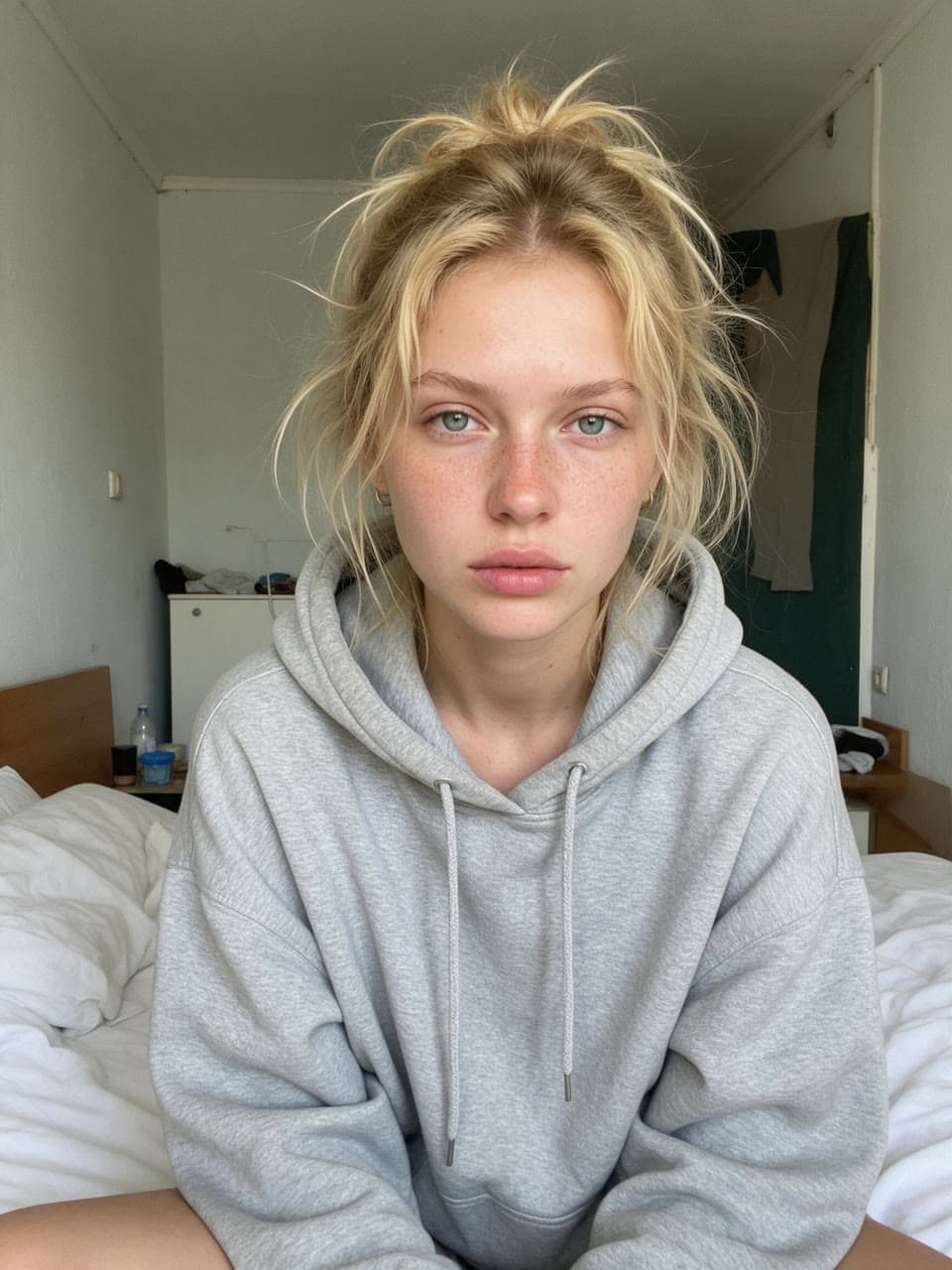
From her bed to a blizzard, made on Leap with Nano Banana 2 from the photo in the corner Nano Banana 2
By Google
Gemini 3.1 Flash Image: fast, from 512 px to 4K, with edits of up to 6 references.
- Starts from
- Words or up to 6 photos
- Resolution
- Up to 4K
- Default run
- $0.081 for a 1K image
- Price
- From $0.057
- Run time
- About 10 seconds
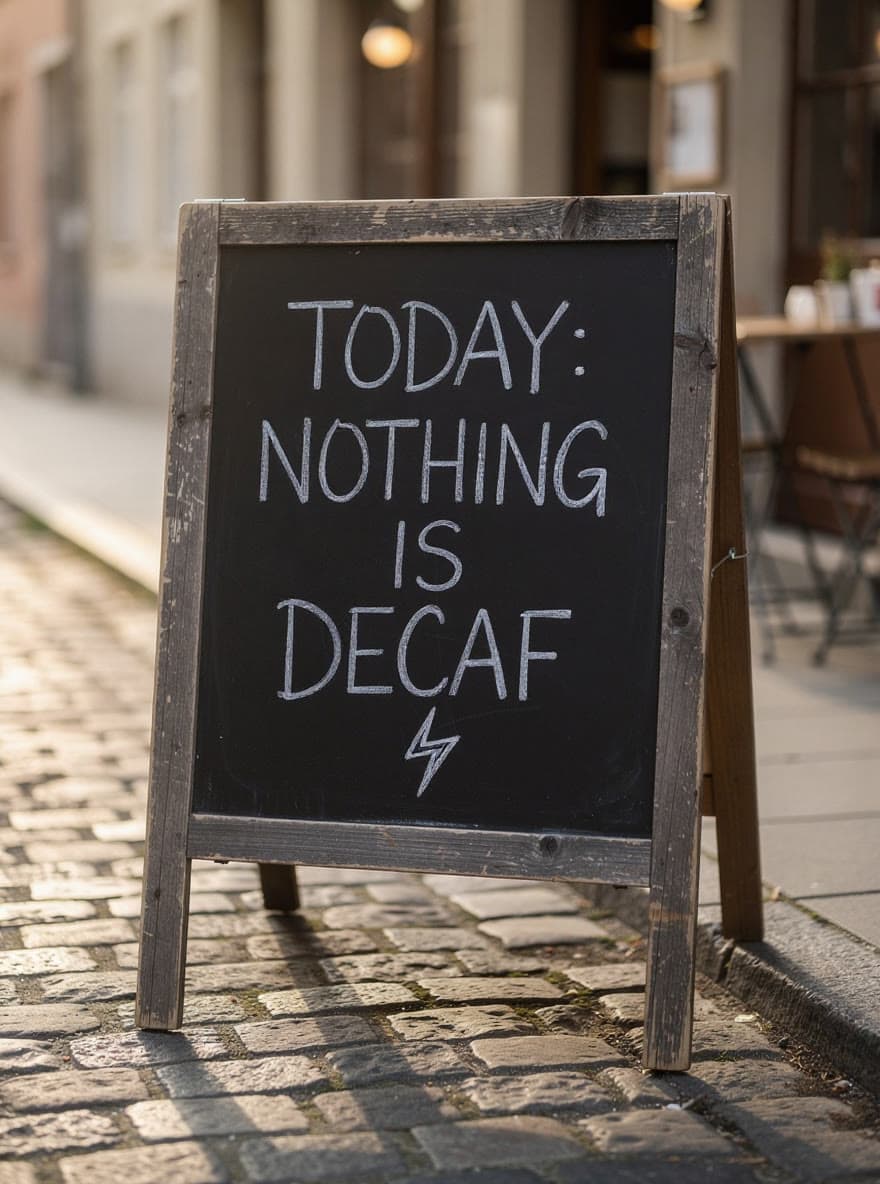

New words on the chalkboard, made on Leap with FLUX.1 Kontext [max] from the photo in the corner FLUX.1 Kontext [max]
By Black Forest Labs. New on Leap and in preview: it works, and it may still change.
The strongest FLUX.1 Kontext: precise edits and typography from a reference image.
- Starts from
- Words or a photo
- Default run
- $0.088 for an image
- Price
- From $0.088

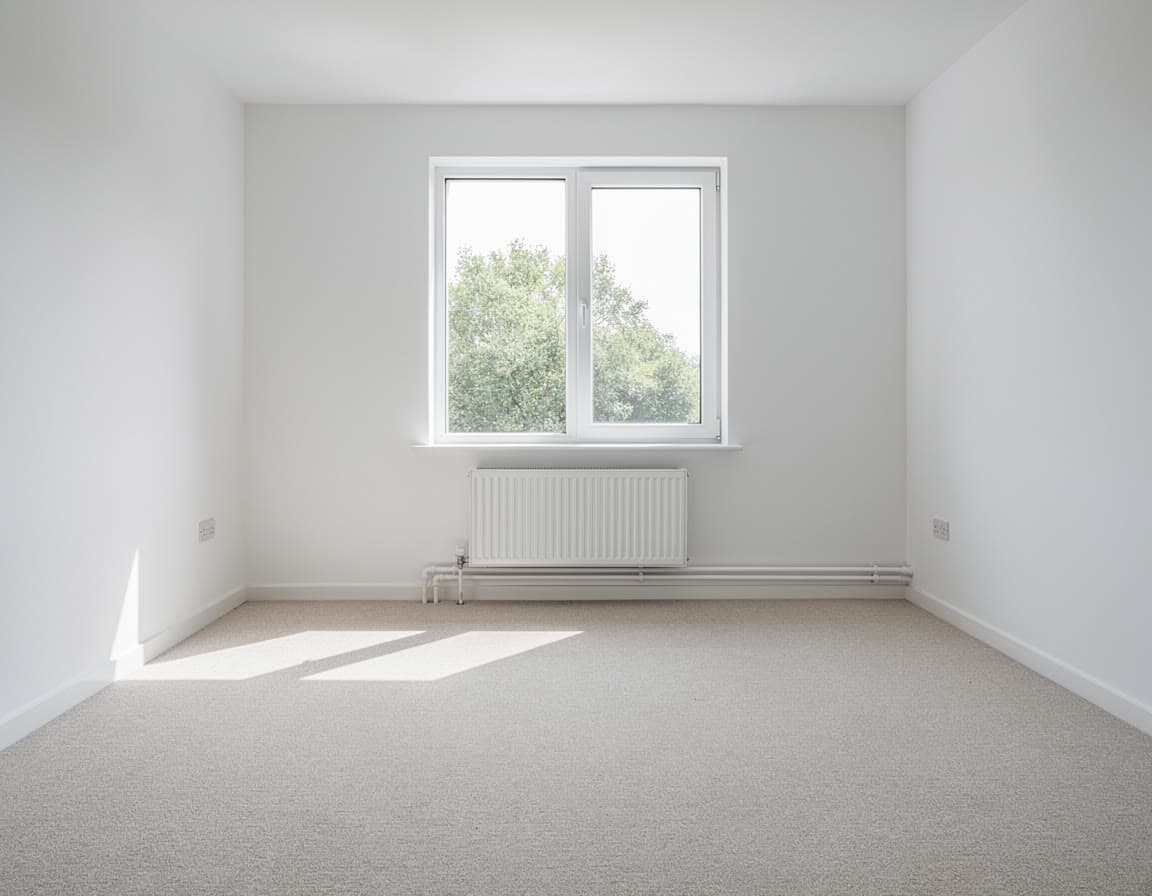
An empty rental, furnished as a 1970s conversation pit, made on Leap with Seedream 5.0 Flash Edit from the photo in the corner Seedream 5.0 Flash Edit
By ByteDance
Fast, low-cost image edits with Seedream 5.0.
- Starts from
- Words or up to 4 photos
- Default run
- $0.03 for an image
- Price
- From $0.03
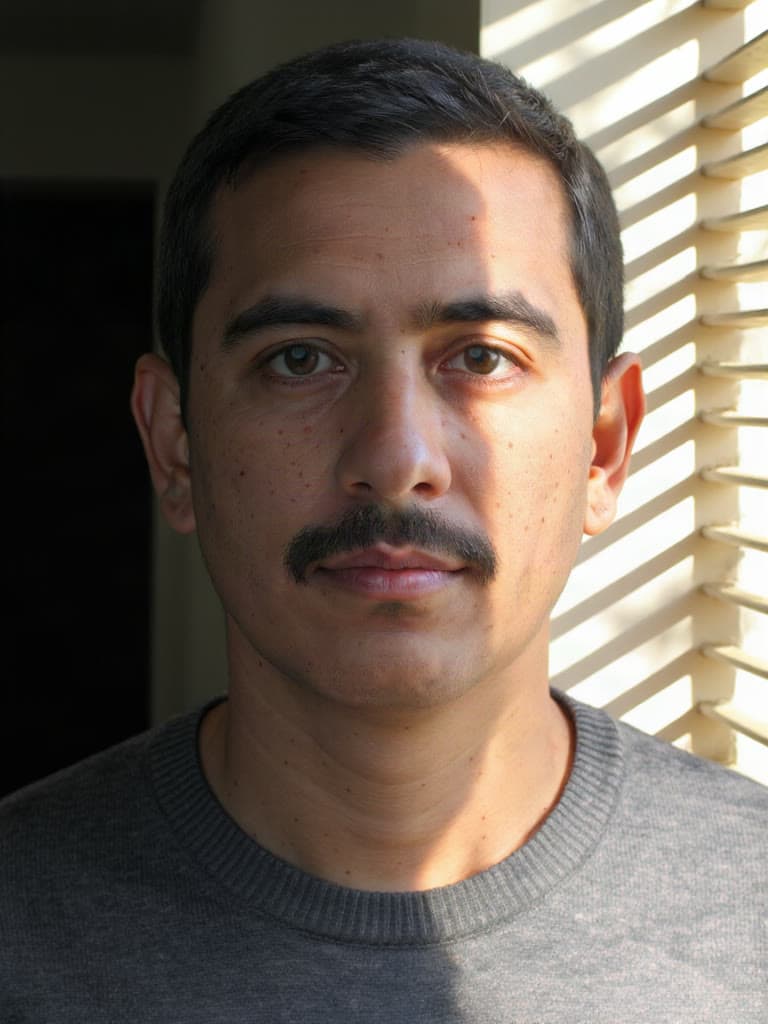
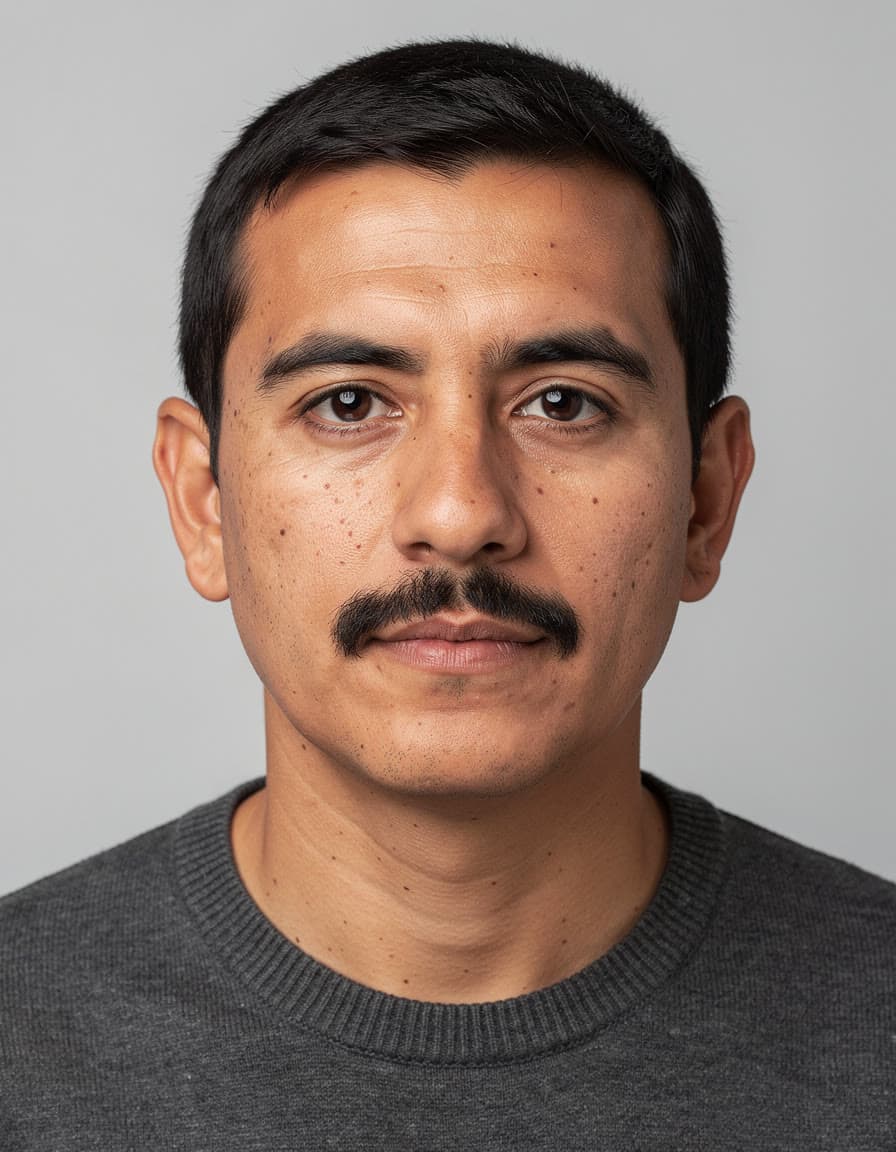
Late sun through the blinds, made on Leap with IC-Light v2 from the photo in the corner IC-Light v2
By lllyasviel. New on Leap and in preview: it works, and it may still change.
Relights a photo and changes its background from a description.
- Starts from
- Words or a photo
- Default run
- $0.11 for an image
- Price
- From $0.11
Questions
Questions people ask
- What is the best AI photo editor?
- It depends on the edit. For the lowest price per image, Seedream 5.0 Flash Edit: $0.03 for an image, the cheapest run here. For the quickest image, Nano Banana 2: about 10 seconds in Leap's own runs at the default settings, the shortest wait here. For the sharpest picture, Nano Banana Pro, GPT Image 2.5 Sunburst and Nano Banana 2: up to 4K, the highest resolution here. For edits that start from your photos, GPT Image 2.5 Sunburst: up to 8 photos in one run, so you can edit a picture or combine several. They all run in the same studio, so you can give two of them the same prompt and keep the better edit.
- How does this compare with Photoshop or Canva?
- They are editors you work in by hand, with AI tools built in, and both are subscriptions. On October 6, 2026, Adobe's Photoshop plan cost US$22.99 a month on an annual plan, with 25 generative credits a month for features like Generative Fill. Canva's AI photo tools, such as Magic Edit, Magic Eraser and its background remover, need Canva Pro at US$18 a month or US$144 a year, which allows up to 200 uses of its premium AI tools a month. On Leap you pay per edit with no subscription, and every model here runs from the same balance.
- Can I remove a background for free?
- Yes. Leap's free background remover cuts the subject out to a transparent PNG in your browser, with no account, and the free image upscaler enlarges a photo the same way. To put the subject somewhere new instead, the background changer above does it in one run.
- Can I edit a photo of a real person?
- Only a photo of someone who has agreed to it, such as yourself. Leap's Acceptable Use Policy forbids showing a real person who hasn't agreed, and the people in a photo keep their rights in it after you edit it.
- Which AI photo editor can I try for free?
- All of them. Sign up with a Gmail, Outlook or work address and you start with $2 of free credit, no card needed. The credit works on every model here; on Seedream 5.0 Flash Edit, the cheapest, it covers 67 edits. After that you pay per edit, in dollars, with no subscription.
- Do I need an account with each maker?
- No. One Leap account runs all 8 of them, in the studio and through the API, from one balance in dollars. You see the price before each run, and a run that fails costs nothing.
- Can I use what I make commercially?
- Yes. You own what you make on Leap, so you can use it commercially, and we never train AI on it. The people and brands shown in a result can still have rights in it; the Terms say more.
- Is there an API?
- Yes. Every model here runs through Leap's REST API at the same price as in the studio, and agents can call them through Leap's MCP server.